
Recurring group and individual lessons
Create repeatable teaching patterns and adjust a specific lesson without rebuilding the whole timetable.
Plan recurring group and individual lessons, assign teachers and rooms, review conflicts, and approve a schedule that attendance, billing, and reports can reuse.
No card required. No migration needed to test the scheduling flow.
A training center needs more than calendar blocks. The scheduling system should handle recurring and one-off lessons while preserving the lesson context used by staff, attendance, invoices, and reports.
Create repeatable teaching patterns and adjust a specific lesson without rebuilding the whole timetable.
Keep teachers, classrooms, online locations, groups, and students visible before a lesson is approved.
Prepare changes separately, resolve teacher or room overlaps, and publish only the schedule staff should use.
Reuse the approved lesson record for attendance, student invoices, teacher payouts, and operational reports.
Watch a language school create a group lesson in a private draft, resolve a teacher or classroom conflict, approve the reviewed schedule, publish the lesson to the student portal, and reuse the confirmed record in billing and teacher payouts.
Class Scheduling Software for Language Schools | Conflicts, Billing & Payouts
The calendar is only useful if it carries the lesson context that attendance, billing, and reporting will need later.
When schedule edits are made outside the system, it is unclear which version should be used.
If the lesson context is incomplete, staff have to guess which group, teacher, or students should be marked.
If invoices are based on outdated or corrected schedules, lesson charges become harder to explain.
The schedule should be the source of truth for every lesson.
Keep teachers, groups, students, time, lesson type, and changes in one place before attendance, billing, and reporting begin.
A scheduled lesson is created once, then reused for attendance, billing, reports, and teacher payouts.
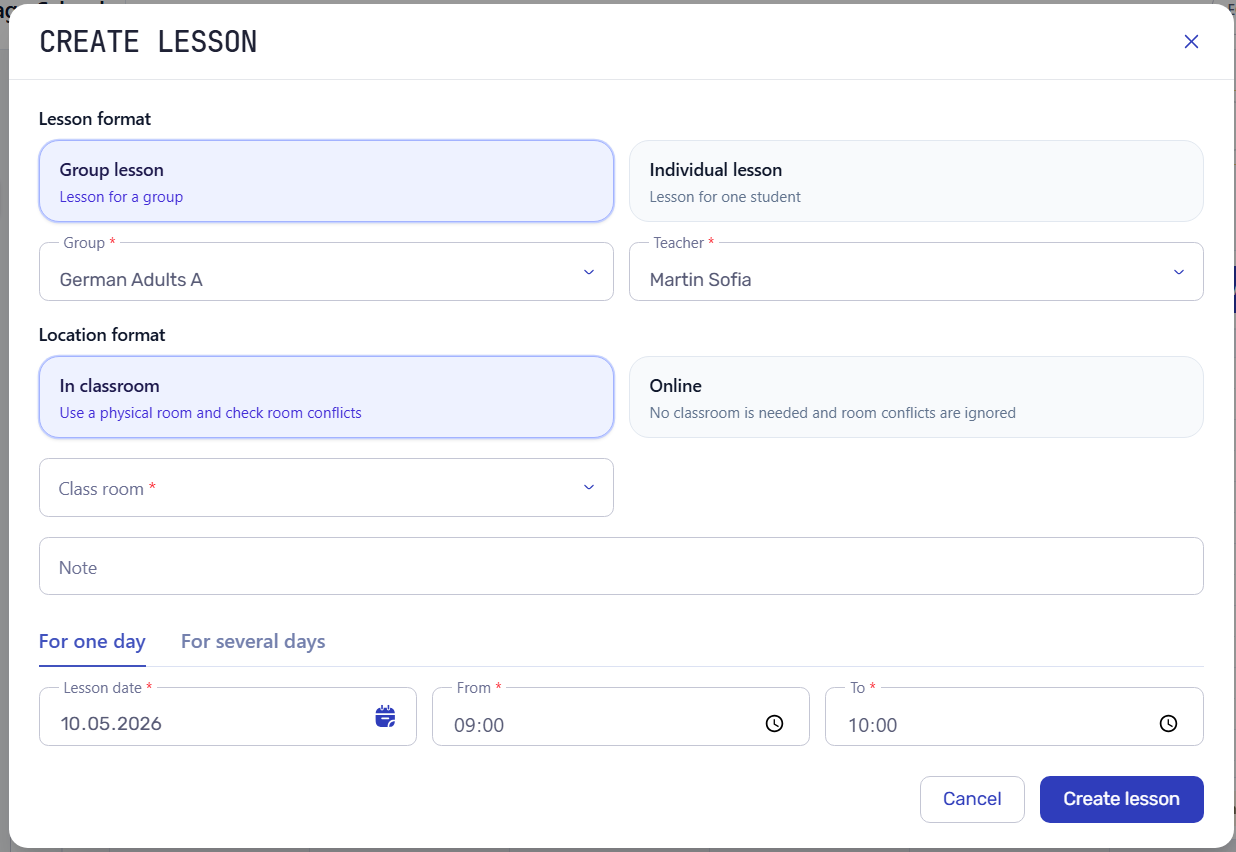
Choose the teacher, group, students, room, time, and lesson type.
Move, cancel, copy, or edit lessons without losing operational history.
Attendance, billing, reports, and payouts can use the scheduled lesson as their source.
See the current schedule by day, group, and lesson before staff start marking attendance or making changes.
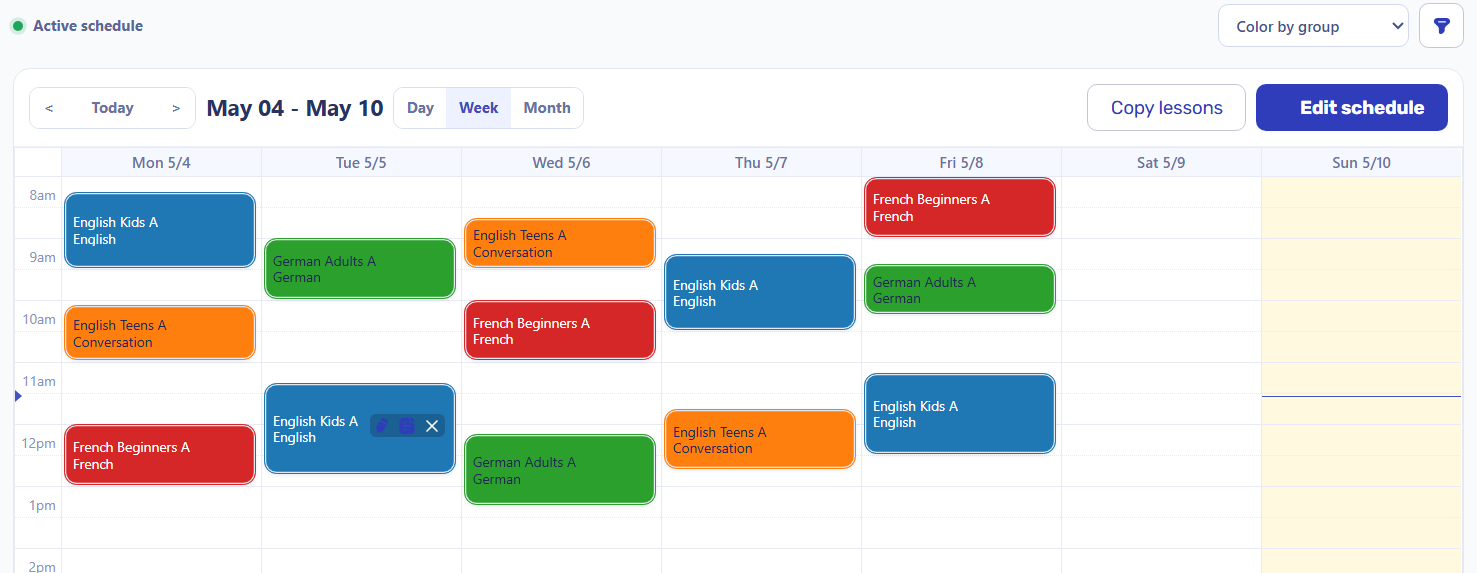
A lesson can carry format, group or student, teacher, room or online location, date, time, and notes before it reaches attendance or billing.
Typical scheduling question
Review planned lessons, schedule changes, conflicts, and missing details before staff start marking attendance.
Prepare schedule changes in a draft, compare planned, active, and conflicting lessons, and approve the next version only after review.
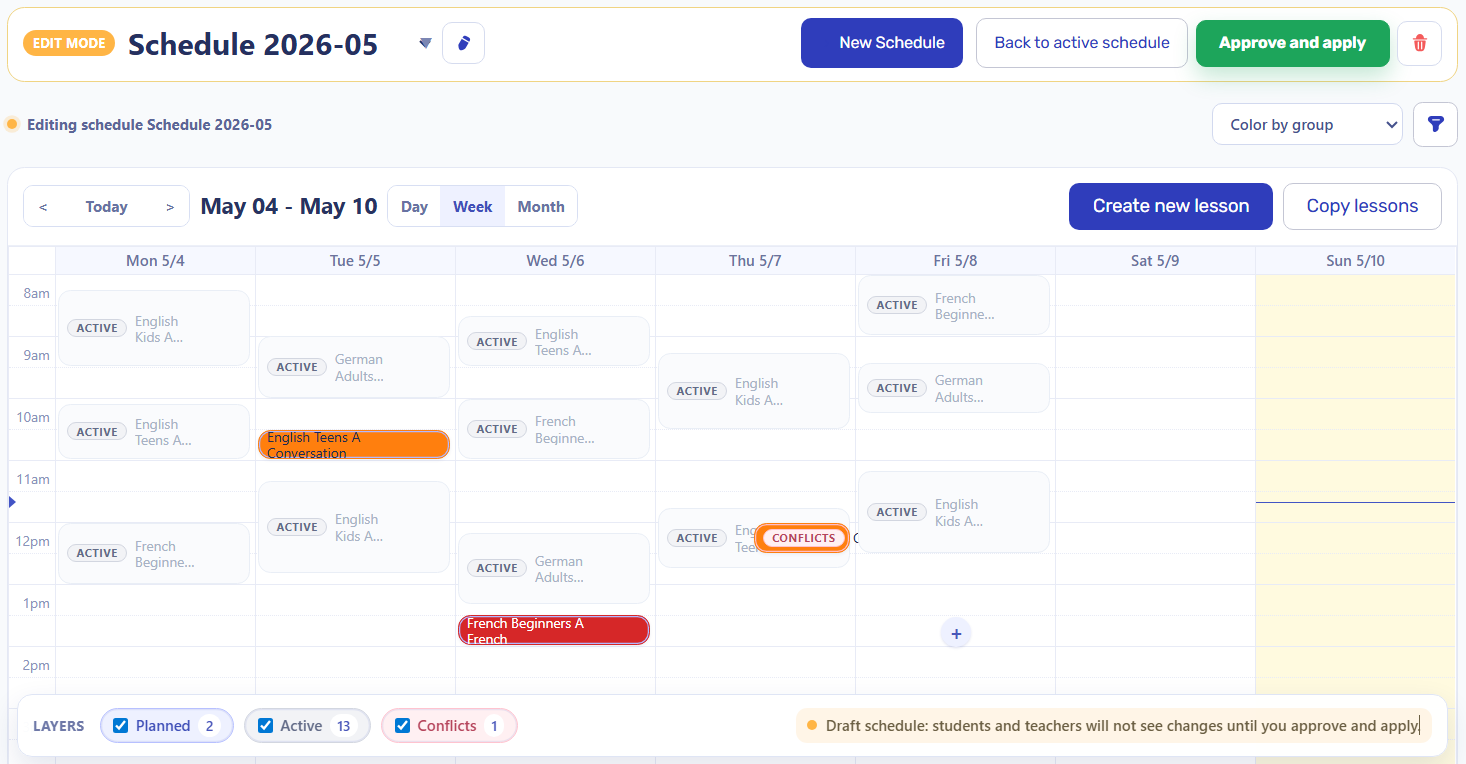
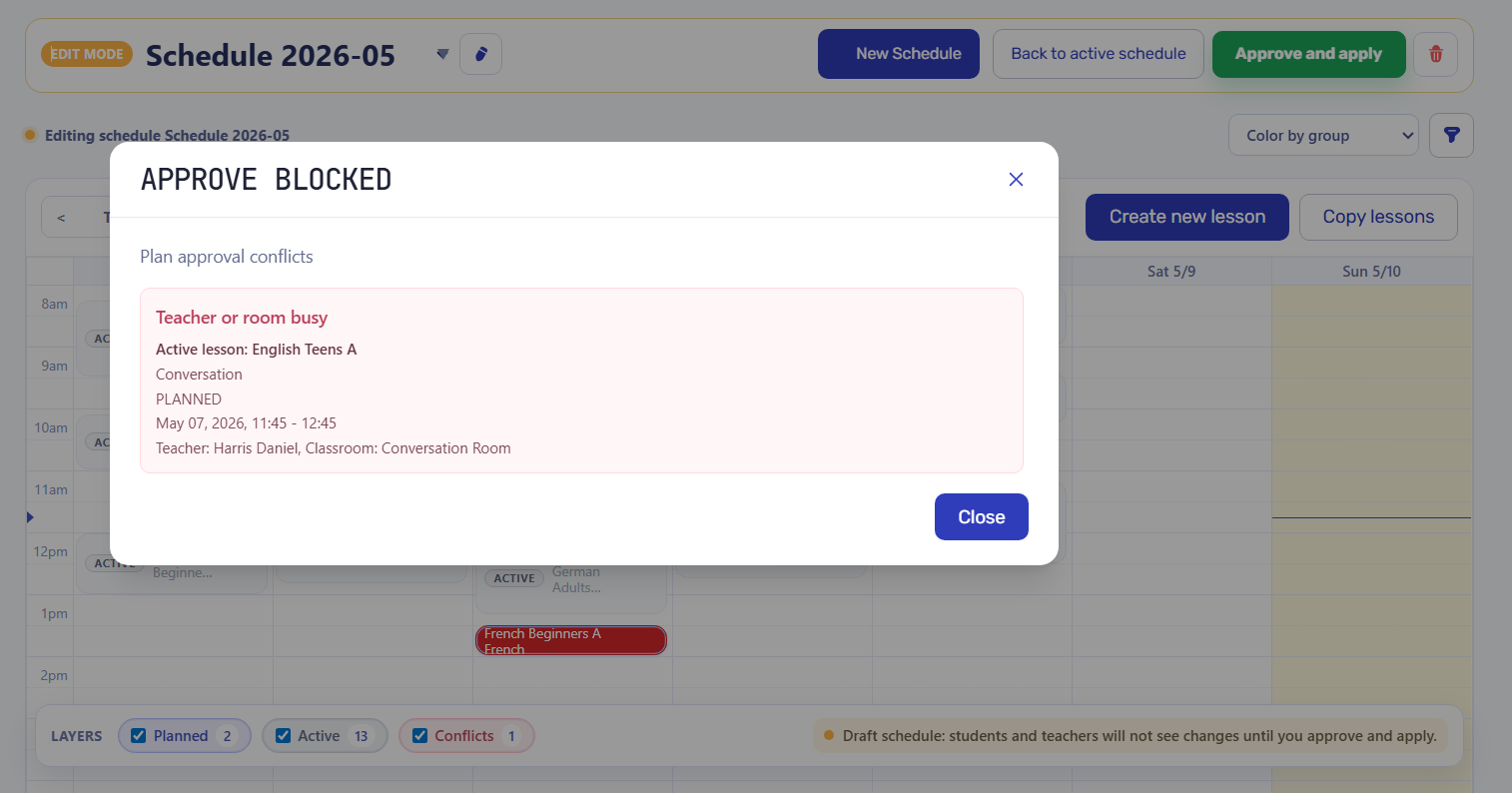
If planned lessons overlap, miss required details, or conflict with existing records, the system can prevent approval until the issue is resolved.
Staff can review lessons for the day, open details, edit notes, or jump into attendance from the mobile schedule.
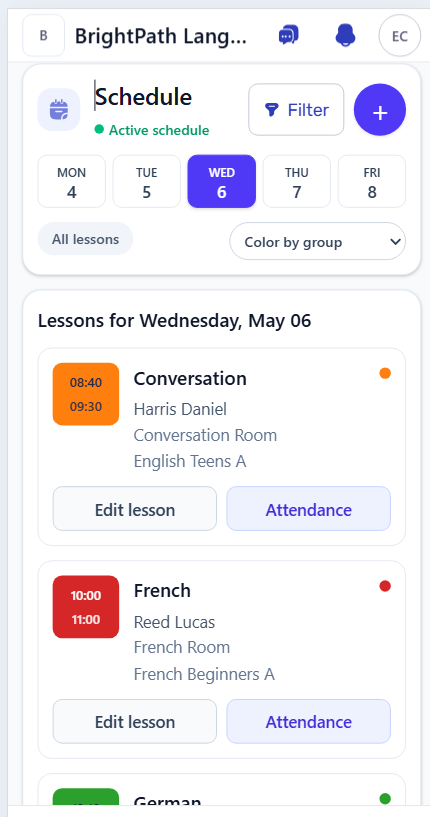
A reliable schedule gives attendance, billing, reports, and daily operations the lesson facts they need.
Students, teacher, time, and group context are already known before attendance is marked.
Invoices and balances are easier to trust when lesson dates and changes start from the schedule.
Operational reports can compare schedule activity with attendance and billing results.
Student portal software
Invited students can access their own lessons, attendance, sent invoices, payment details, current balance, and profile through the connected student portal.
Workflow guides
Use these guides to see how lesson records feed attendance, invoices, teacher payouts, and reports.
Class scheduling software helps a training center plan lessons with teachers, groups or individual students, rooms, dates, times, and lesson details in one operational calendar.
Yes. Intelligence Cloud supports group and individual lesson records and lets administrators copy recurring patterns, then review the target period before approval.
A booking system usually focuses on customers reserving available time slots. Intelligence Cloud focuses on the school's internal teaching schedule and the approved lesson records used by attendance, billing, payouts, and reports.
Planned lessons can be reviewed against active teacher and room assignments, and approval can be blocked until conflicting lesson details are resolved.
Yes. An approved lesson carries the teacher, group or student, lesson type, room, date, and time that downstream attendance and billing workflows need.
No. Intelligence Cloud is designed for lesson-based private education providers such as training centers, language schools, and tutoring centers rather than university course allocation or campus timetable optimization.
Start with demo data or add a few real lesson examples to see whether teachers, rooms, groups, changes, and attendance fit your school process.