
Invoices take too long to verify
When lesson prices, discounts, absences, and payments live in different places, every invoice needs manual checking.
Track invoices, payments, discounts, previous debt, and overpayments in one workflow, so every student balance can be checked and explained.
No card required. No full migration needed to test the billing flow.
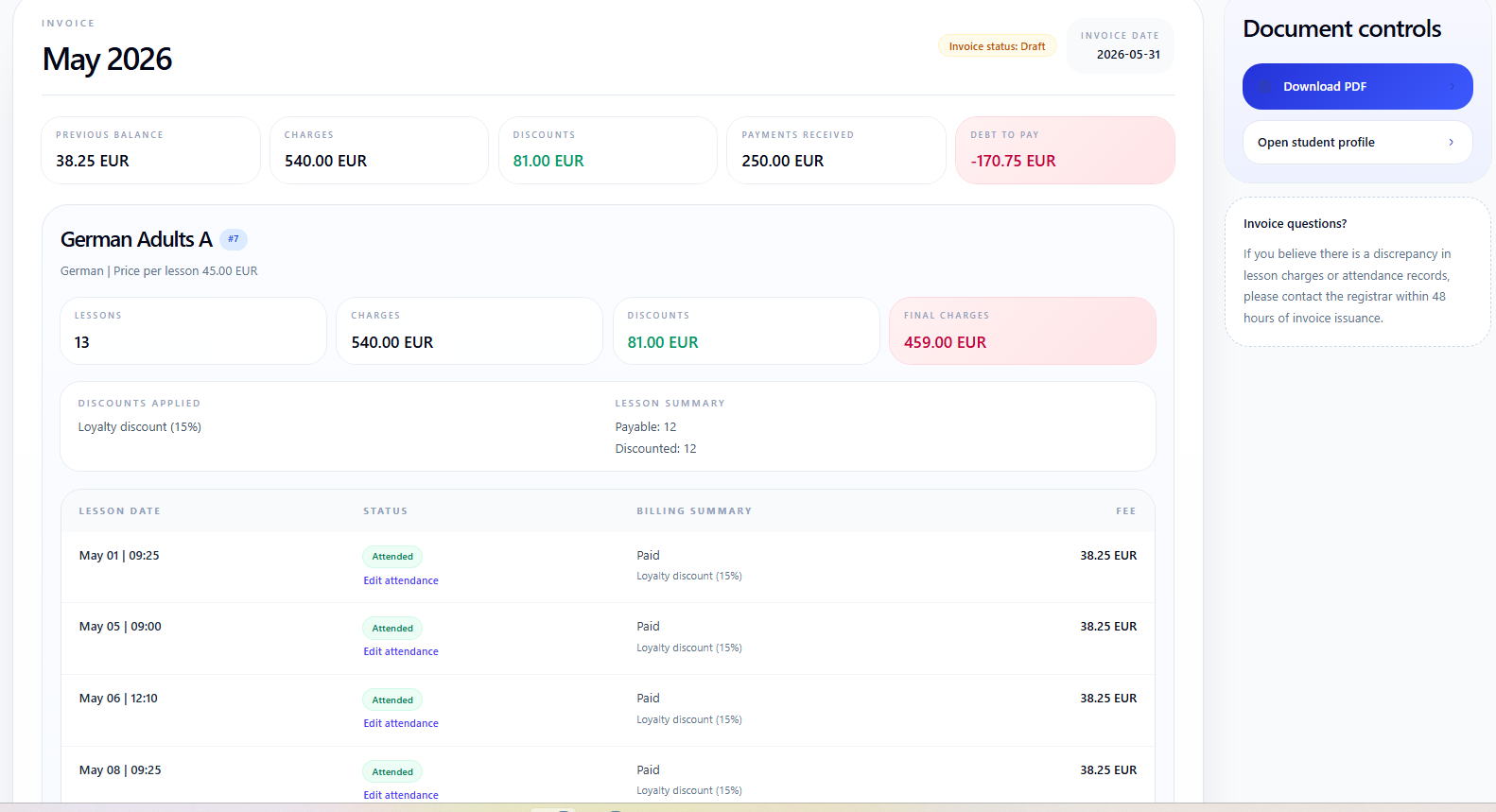
Most billing issues start when invoices, payments, discounts, and previous debt are checked in different places.
When lesson prices, discounts, absences, and payments live in different places, every invoice needs manual checking.
A payment may cover current debt, a previous balance, or several invoices. Without allocation history, the balance is hard to explain later.
When balances are reviewed only at the end of the month, overdue payments and overpayments are discovered after they already caused confusion.
A student balance should be explainable, not guessed.
Let the system calculate balances from lessons, invoices, payments, discounts, previous balances, and adjustments.
The balance is not typed manually. It is calculated from the events that created it.
Charges come from scheduled lessons, attendance, prices, discounts, and corrections.
Payments can be linked to current invoices, previous debt, or balance adjustments.
The final amount is calculated from billing history, not entered manually.
Review all students in one place: who has debt, who is fully paid, who has credit, and which balances need attention before the next billing run.
If a student pays before lessons begin, attendance changes can leave credit for the next month. See how advance payments and student credit balances work.
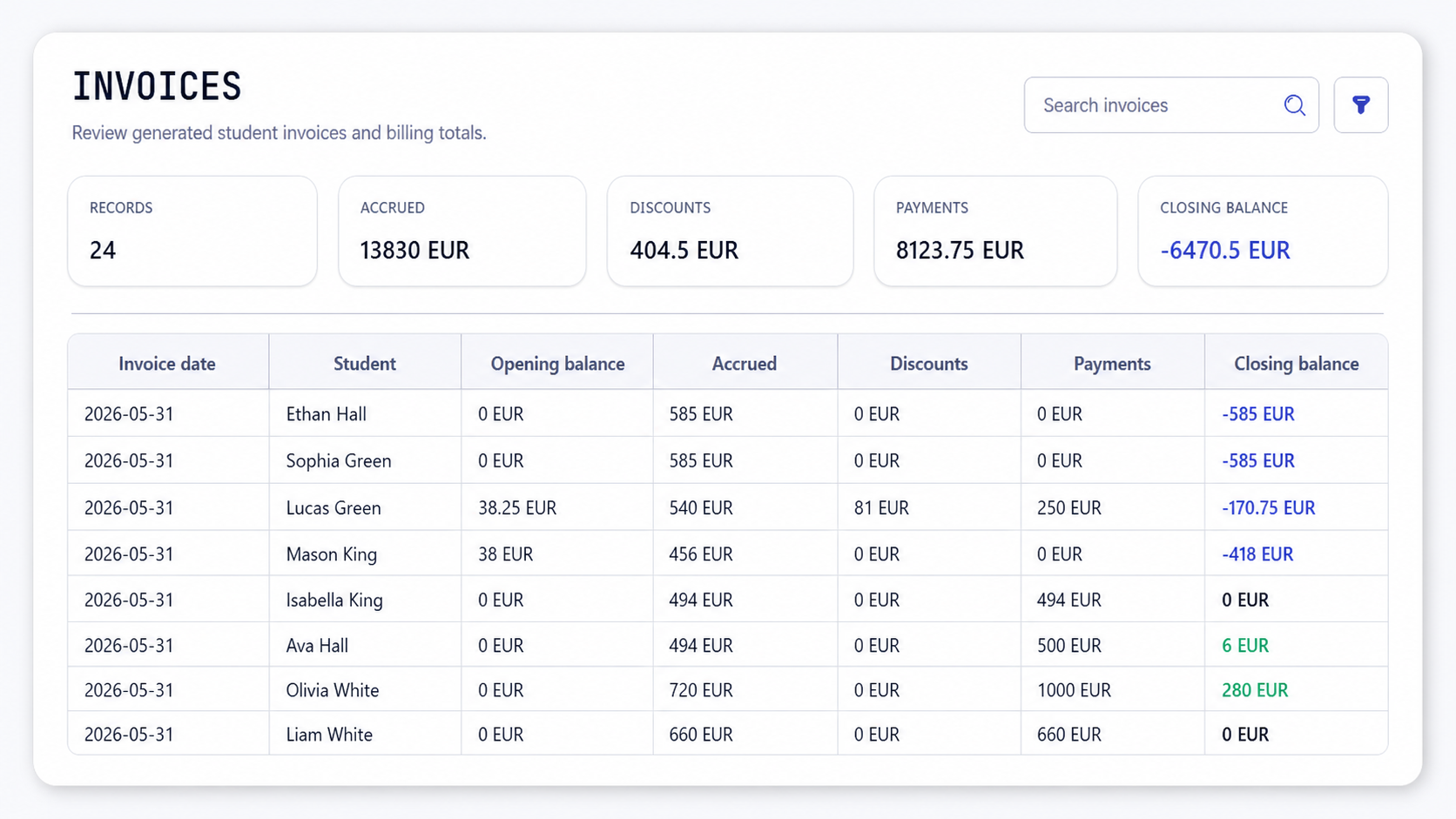
Typical month-end question
Open the balance, check the lessons, payments, discounts, and previous debt, without rebuilding the month in a spreadsheet.
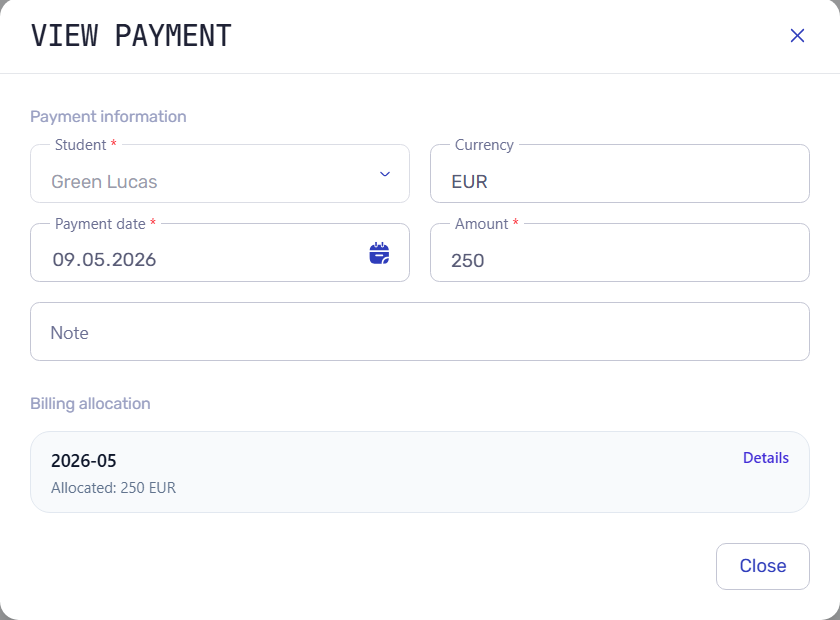
A payment is not just a number. It is tied to a student, amount, date, currency, and billing period so the balance can be explained later.
Open a student invoice and see which charges, discounts, payments, previous debt, and corrections produced the current amount.
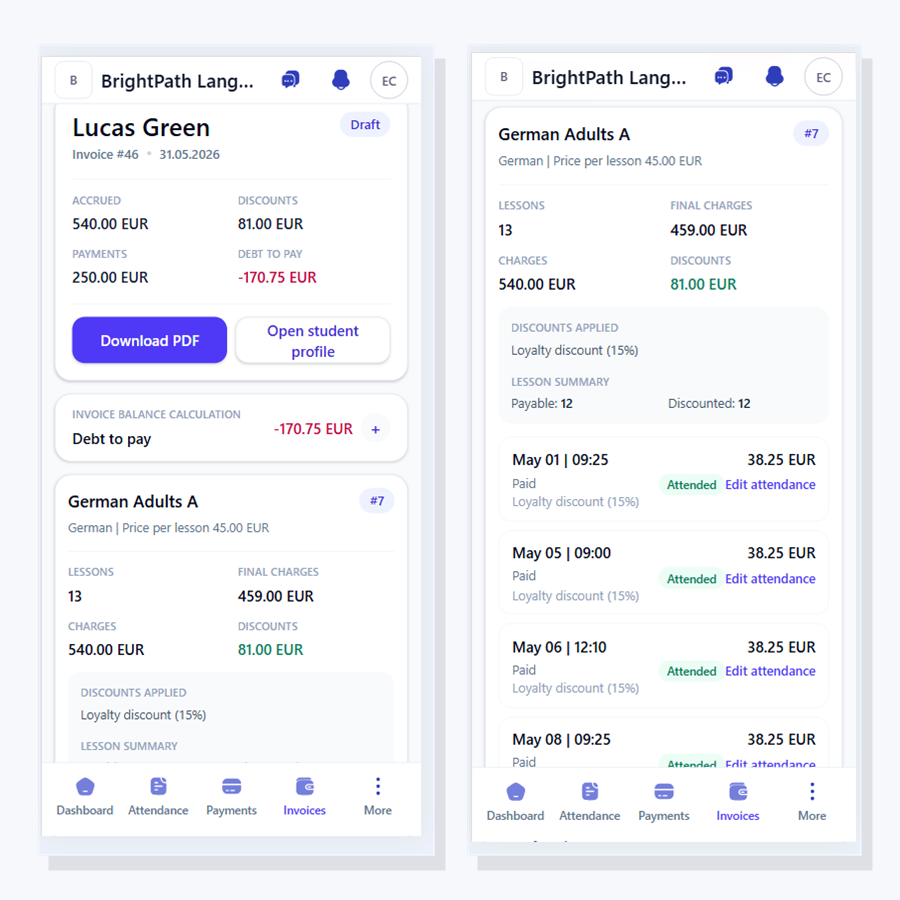
Send a readable invoice when a student or parent asks "why this amount?" without giving them access to the admin system.
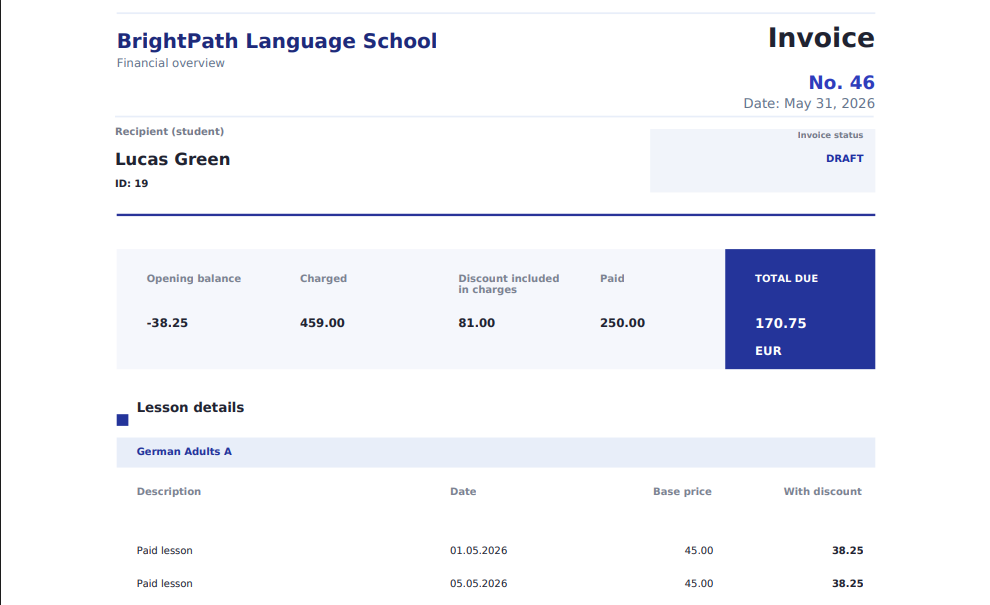
Schedule, attendance, prices, discounts, invoices, and reports use the same operational data, so month-end billing does not need to be rebuilt in spreadsheets.
Missed, excused, transferred, and attended lessons can change what appears on the final invoice.
Group prices, lesson prices, and student discounts are reflected in invoice lines.
Revenue, debt, payments, and later payout analysis can be built from the same source of truth.
Student portal software
Invited students can access their own lessons, attendance, sent invoices, payment details, current balance, and profile through the connected student portal.
Workflow guides
Use these guides when you want to see how invoices, payments, pricing, and attendance create an explainable student balance.
Start with demo data or enter a few students, lessons, and payments to see whether the balance logic fits your school.