
Discounts are easy to forget
If student discounts live in notes or spreadsheets, administrators have to remember them every time invoices are prepared.
Set course prices and student-specific discount rules before invoices are calculated, then trace every charge and reduction back to lessons and student records.
No card required. No migration needed to test the pricing flow.
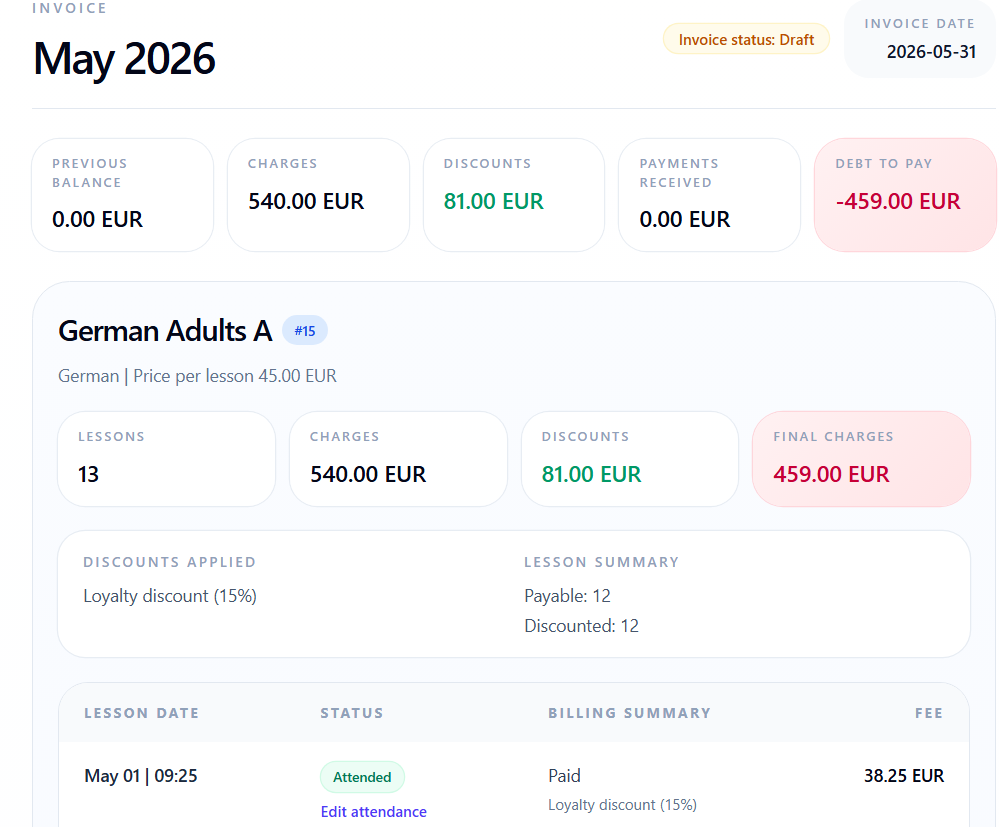
Prices and discounts are small setup details until they become the reason an invoice needs to be explained or corrected.
If student discounts live in notes or spreadsheets, administrators have to remember them every time invoices are prepared.
When lesson prices are edited outside the billing workflow, it becomes harder to explain why a student was charged a specific amount.
If prices and discounts are not connected to lesson records, invoice lines are corrected after calculation instead of being right from the start.
Pricing rules should be part of the billing workflow, not a separate memory task.
Keep course prices, student discounts, and billing-relevant rules connected before invoices are generated.
Prices and discounts should be defined before the invoice is calculated, then stay visible in the final charge.
Define the price for a course, group, lesson type, or billing rule your school uses.
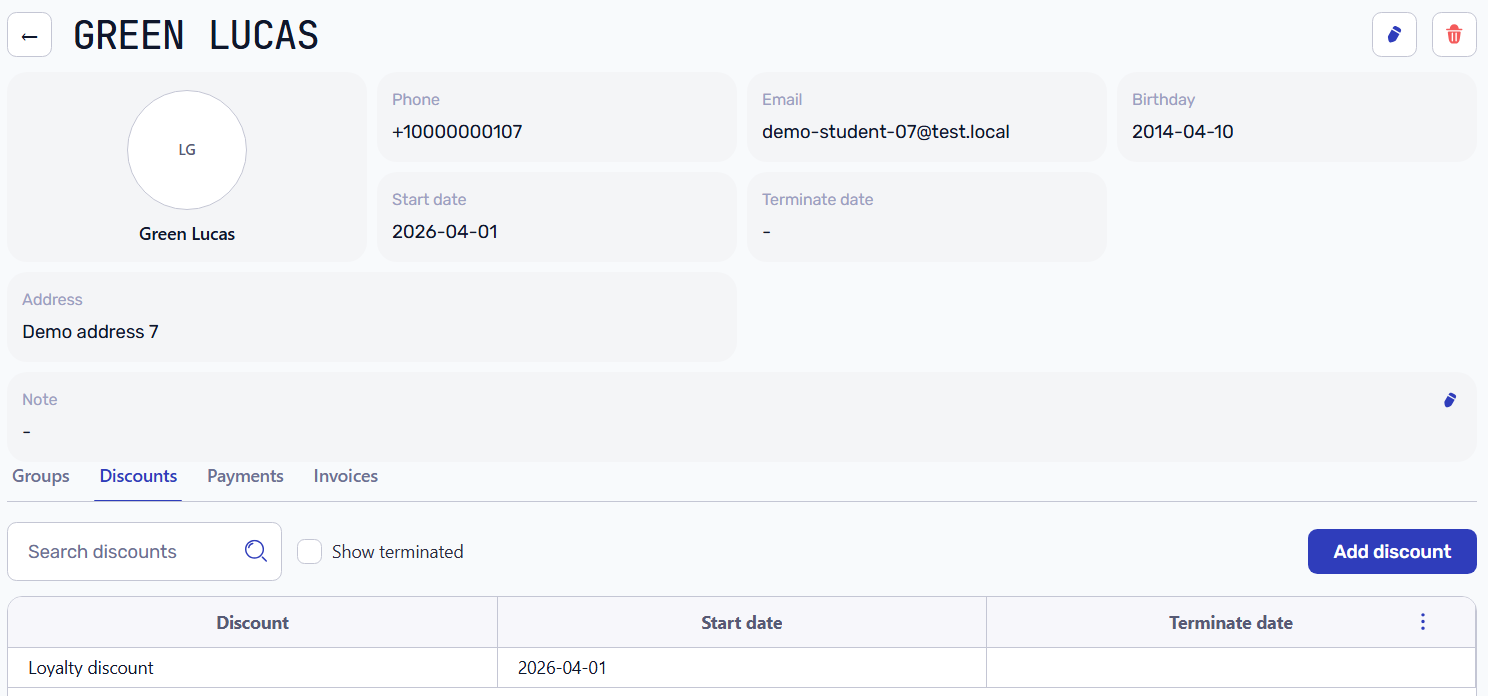
Keep discount rules connected to the student or lesson context instead of recreating them each month.
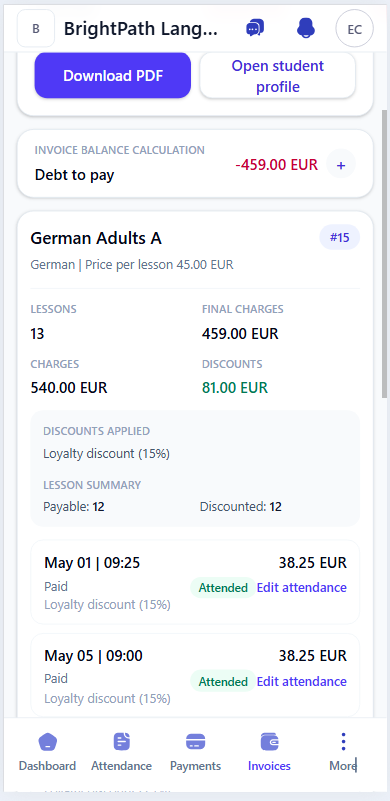
Invoice lines can show which price and discount produced the final amount.
Review courses, rates, and price history before invoice calculation uses them.
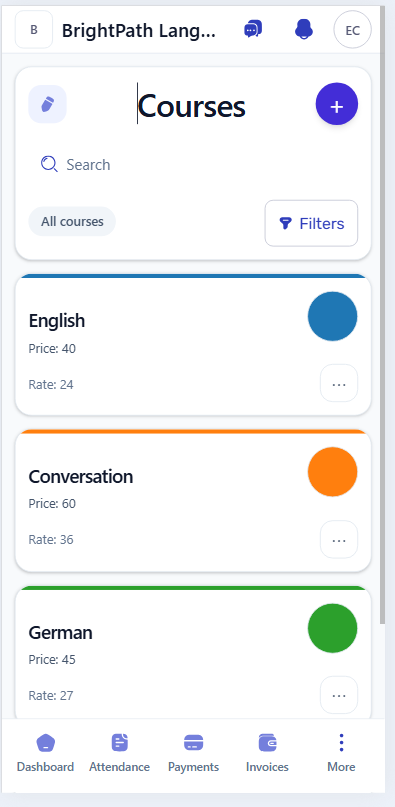
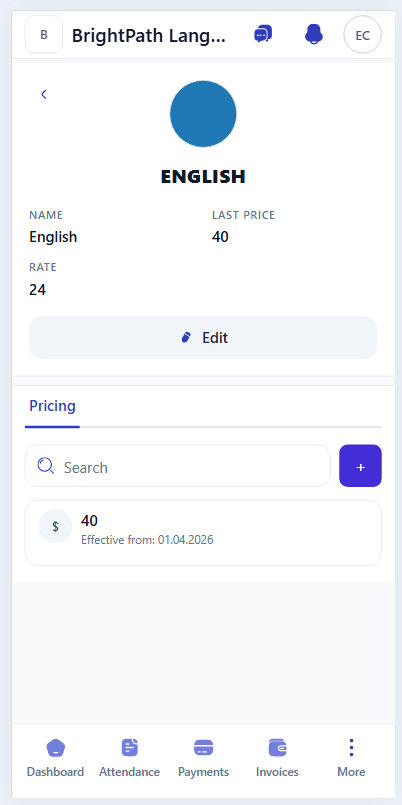
Reusable discount templates keep common reductions consistent for students and groups before invoice calculation begins.
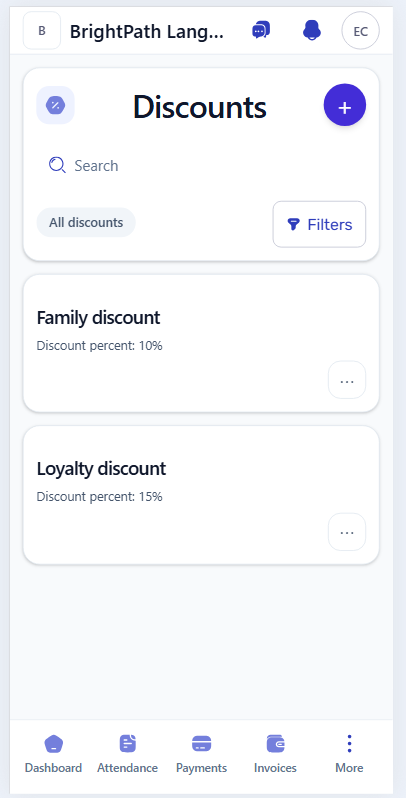
Student-specific discounts stay connected to the profile with start dates, so the billing workflow can apply them without manual reminders.
Typical billing question
Open the invoice and trace the course price, student discount, payable lessons, and final charge without checking separate spreadsheets.
When a student or parent asks about the final amount, the invoice can still show discounts, final charges, and lesson-level billing context.
The schedule provides the lesson, attendance confirms what happened, and invoices use the price and discount rules.
Course and lesson context starts in the schedule before billing is calculated.
Attendance helps decide which lessons should be charged, discounted, or ignored.
Student invoices use course prices and discount rules to explain every charge and reduction.
Workflow guides
Use these guides to connect course prices, discounts, attendance, invoices, and payment allocation.
Start with demo data or add a few course prices and student discounts to see whether invoice lines match your school process.