
Every invoice depends on someone's memory
Administrators have to remember which student, group, and period should receive each discount.
Create reusable percentage and fixed-amount discounts, apply them to the right students and courses, and keep the result visible when lesson-based invoices are calculated.
No card required. Test the discount workflow with demo billing data.
For language schools and training centers, a discount recorded in a note or spreadsheet can be missed, applied to the wrong period, or become impossible to explain after the invoice is sent.
Administrators have to remember which student, group, and period should receive each discount.
Staff must distinguish a discount per lesson from one fixed amount for the whole billing period.
When staff overwrite a total, the invoice no longer explains the original charges and the applied discount.
Define each discount once and keep it visible in every invoice calculation.
Billing software for schools should keep student-specific discounts connected to course prices, attendance records, and invoice calculations.
Reusable discount templates store the value, the assignment determines who receives it and when, and the invoice shows the accumulated result.
Set a percentage or fixed amount and choose whether it is calculated per lesson or per billing period.
Assign it to the student's eligible lessons, or restrict it to a group or course, without changing the course price.
Review gross charges, the discount total, discounted lessons, and final charges in one record.
Watch two demo examples: Alex's discount applies only to Conversation, while Emma's 20 EUR discount is applied once across 13 eligible lessons in the billing period. The invoice keeps original charges, discounts and final period charges visible.
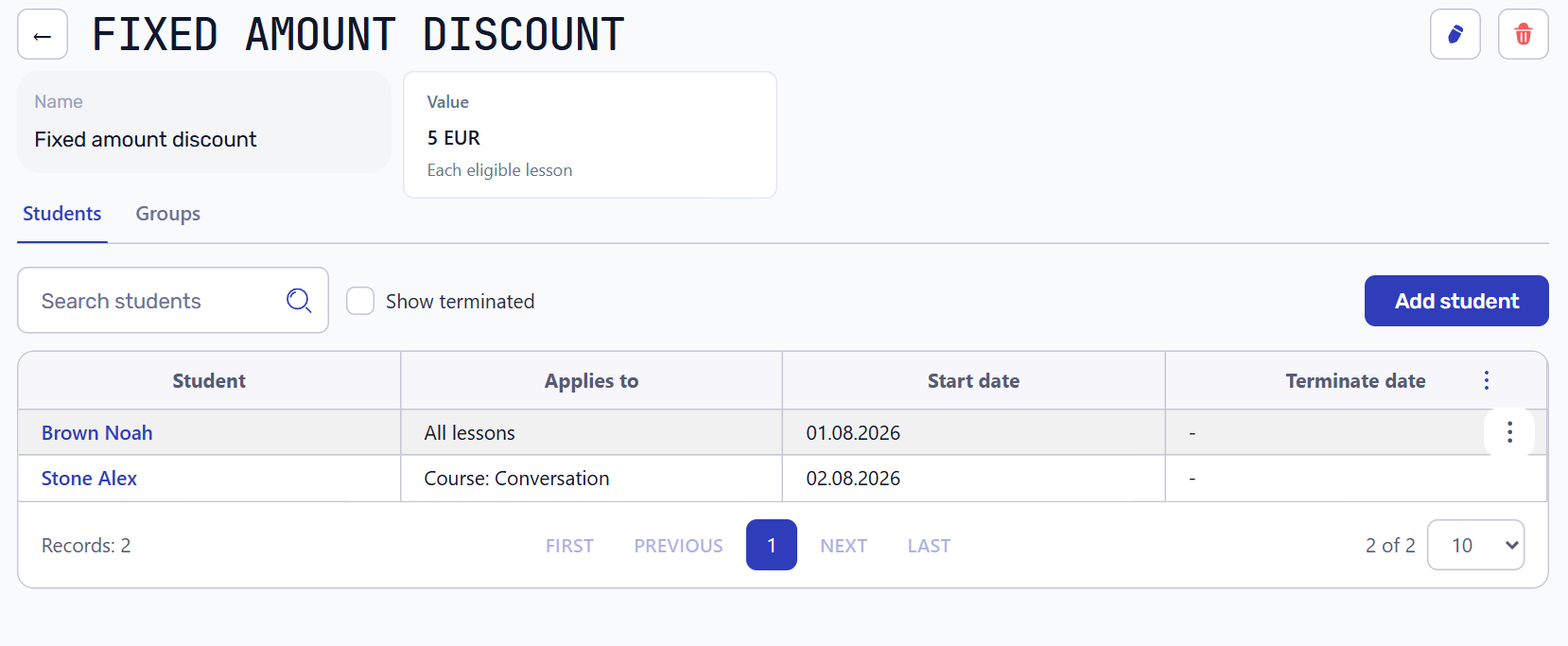
The discount list shows each template and its value. Assign it to a student, then limit it to a group or course if needed.
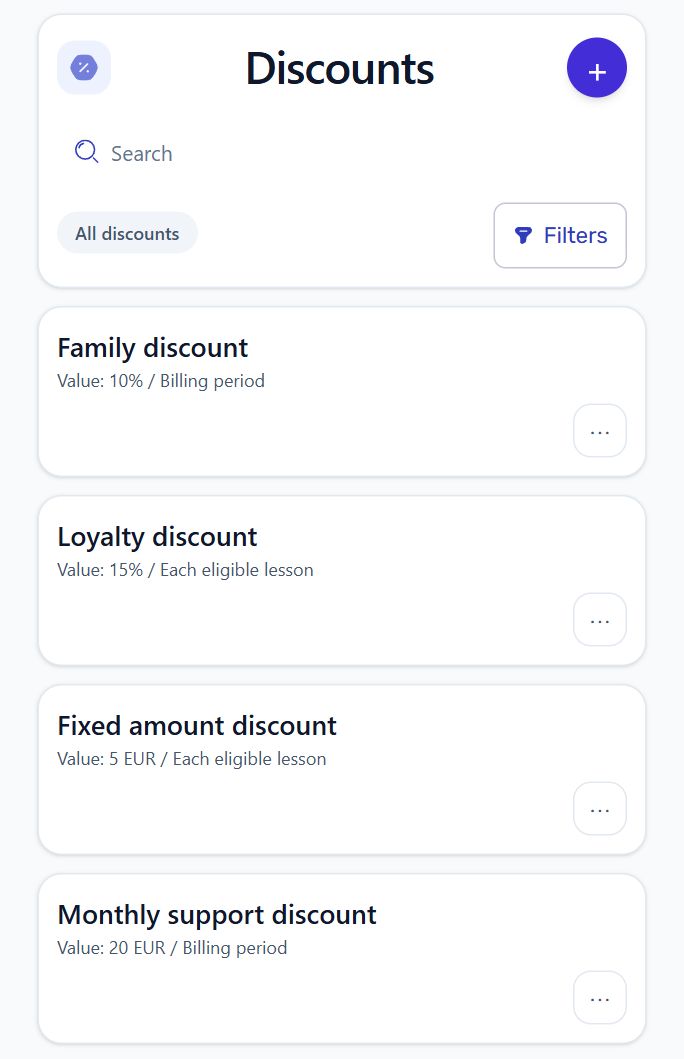
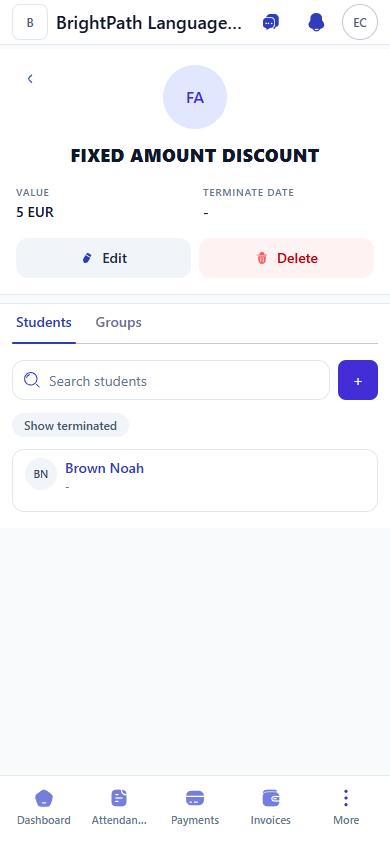
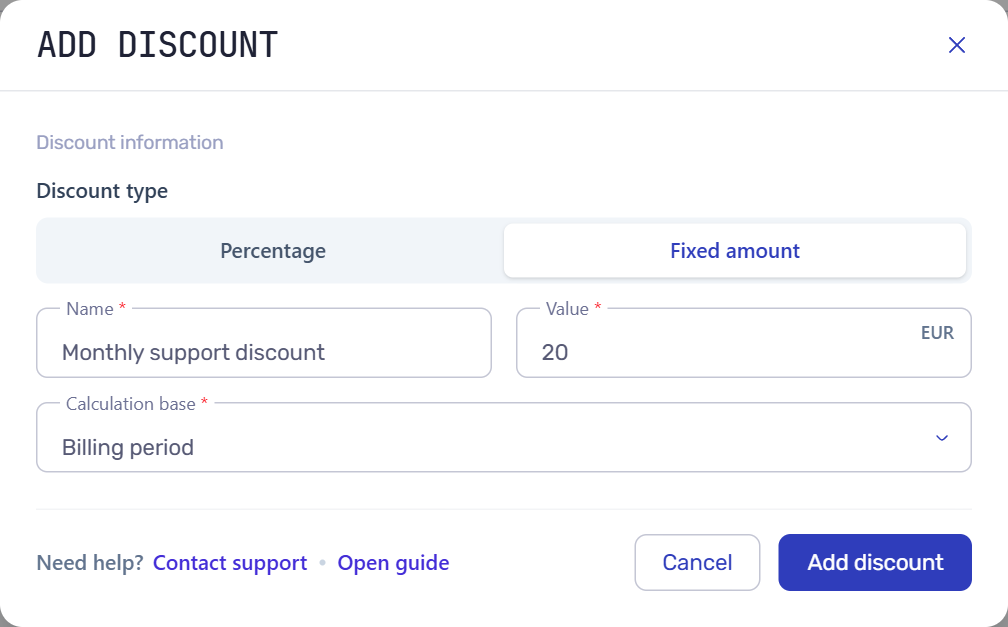
Use a percentage or a currency amount to match the arrangement. For example, a 20 EUR discount for the billing period stays 20 EUR rather than being repeated for every lesson.
Limit an arrangement to one course or group when it should not affect the student's other lessons. The discount effective date determines when it starts; previous assignments remain available for review.
Demo invoice example
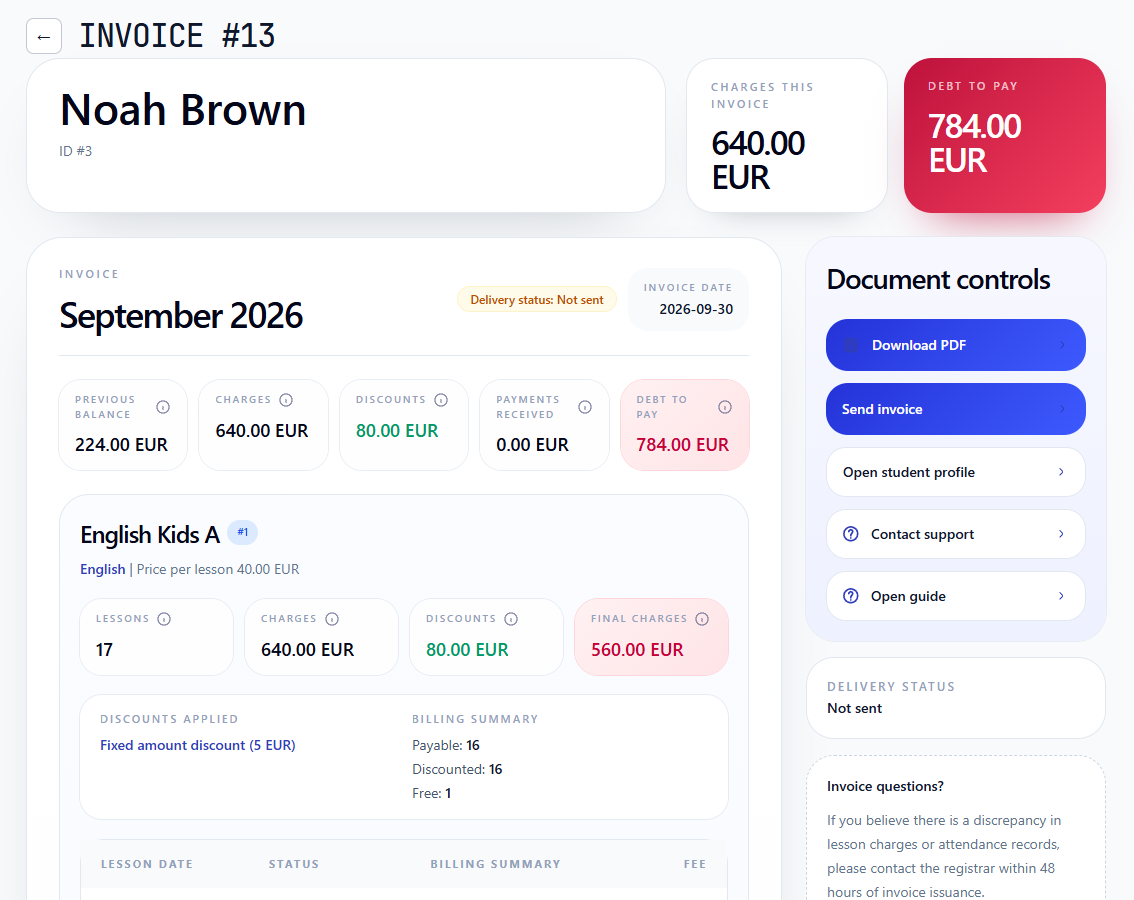
Noah Brown receives a 5 EUR discount on each of 16 eligible lessons. The invoice keeps the original 640 EUR charge visible, subtracts 80 EUR, and shows a final amount of 560 EUR.
The invoice keeps the original charge, total discount, and final amount together. Staff can see which discount was applied and explain the calculation without rebuilding it in a spreadsheet.
Course prices define the gross amount, billing treatment determines which lessons are chargeable, and invoices show the active student discount.
Keep the base lesson price and its effective dates separate from the student's reduction.
Presence and absence are recorded separately from whether a lesson is chargeable, free or transferred. Check the billing treatment and active discount behind the charge.
See how lesson charges, discounts, payments, previous balance, and the amount due remain connected.
Workflow guides
Use the focused guides for course prices, student discounts, and explainable invoices.
Create a percentage or fixed-amount discount, assign it to a demo student, and verify how it appears in the invoice calculation.