
Plan recurring lessons
Coordinate tutors, students, groups, rooms, and repeating individual or group lessons in one schedule.
Connect tutor schedules, student attendance, invoices, payments, balances, tutor payouts, reports, and secure student and teacher access in one operational workflow for a tutoring center or tutoring business.
Start with demo data. No card or full-school migration is required.
One tutoring workflow
The value is not another isolated calendar or invoice tool. Scheduling, attendance, billing, tutor work, and student access stay connected around real lessons.
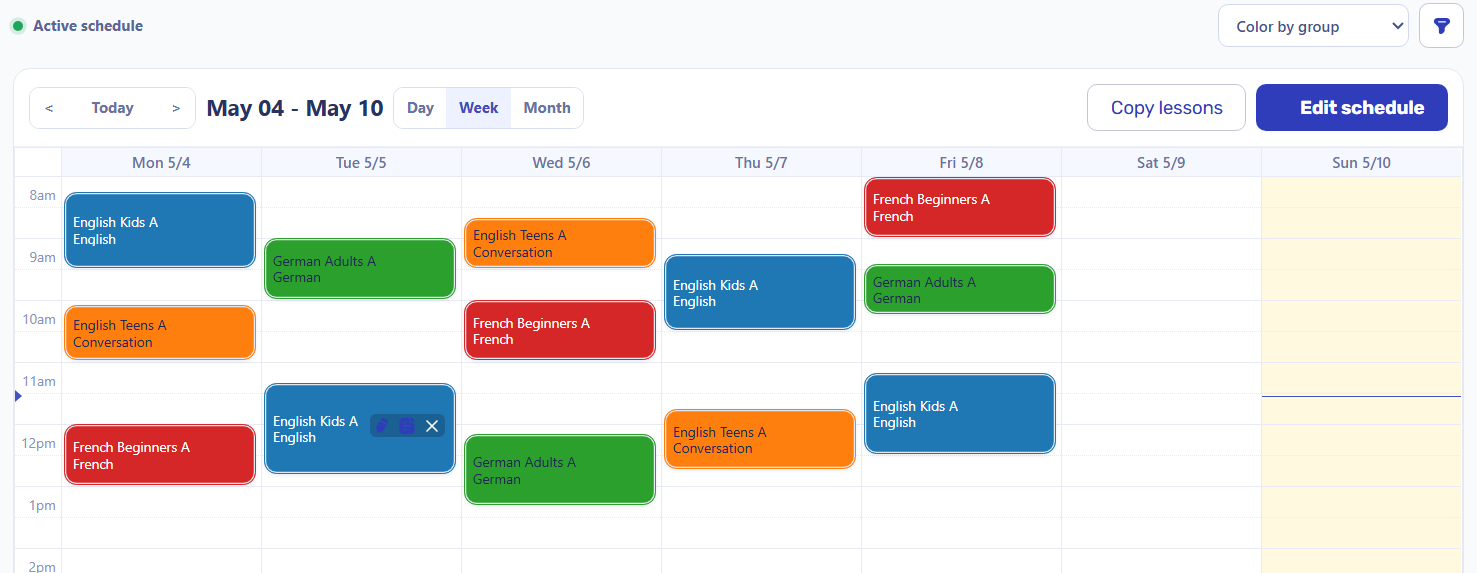
Coordinate tutors, students, groups, rooms, and repeating individual or group lessons in one schedule.
Record what happened in each lesson before student invoices and balances depend on it.
Use completed lessons, tutor rates, student counts, cancellations, and payable rules for payout statements.
Give tutors restricted work access and let invited students review lessons, sent invoices, payments, and balances.
A tutor records an excused absence. The student charge changes, the completed lesson remains payable, and school-wide finance stays under administrator control.
How Teachers Record Attendance and Review Payouts | Tutoring Center Software
Connected tutoring operations
Each step uses operational records created earlier instead of rebuilding the tutoring month in separate spreadsheets.
Create recurring group and individual lessons with the tutor, students, time, place, and lesson type already known.
An authorized administrator or assigned tutor records present, absent, excused, transferred, or canceled outcomes.
Lesson facts support invoice rows, discounts, payments, previous debt, credit, and the current student balance.
Completed lessons and tutor rates produce an explainable payout while reports reuse the same operational history.
Product-backed workflow
Intelligence Cloud connects these areas without pretending to replace accounting software, an LMS, or a public marketplace.
Plan recurring tutor availability, groups, individual lessons, and conflicts before the schedule becomes operational.
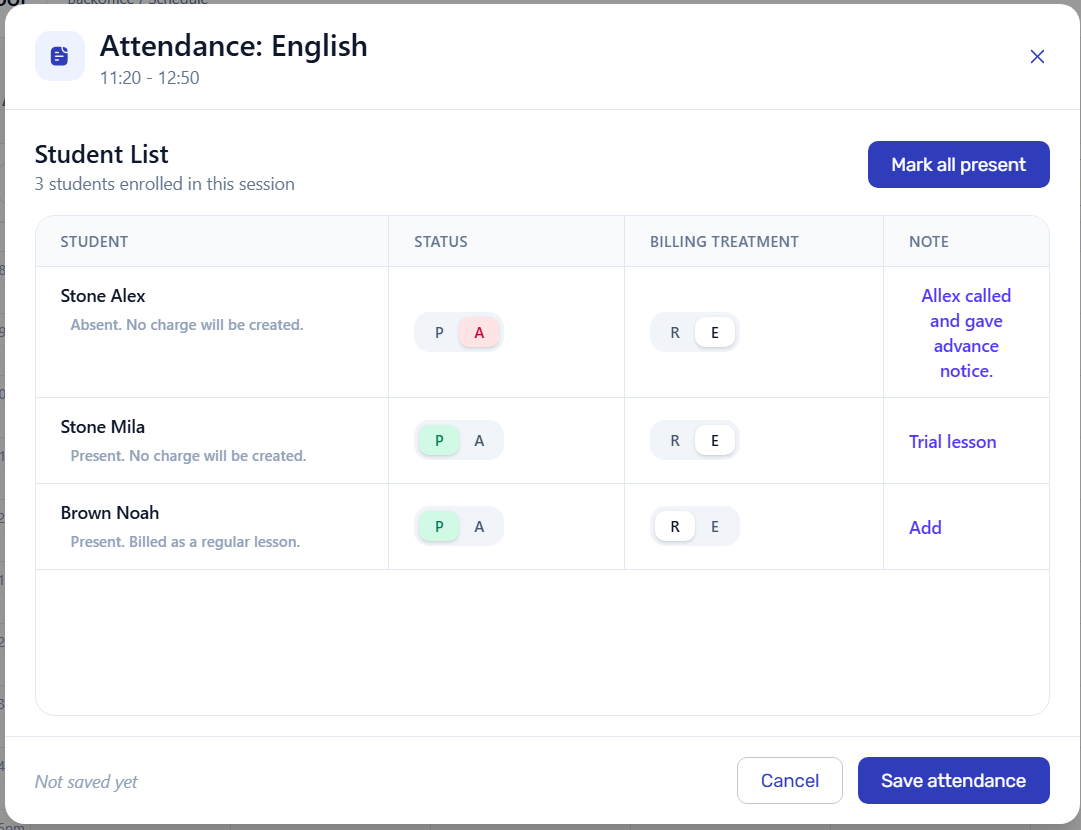
Keep student status and billing treatment in the lesson context so invoice decisions remain explainable.
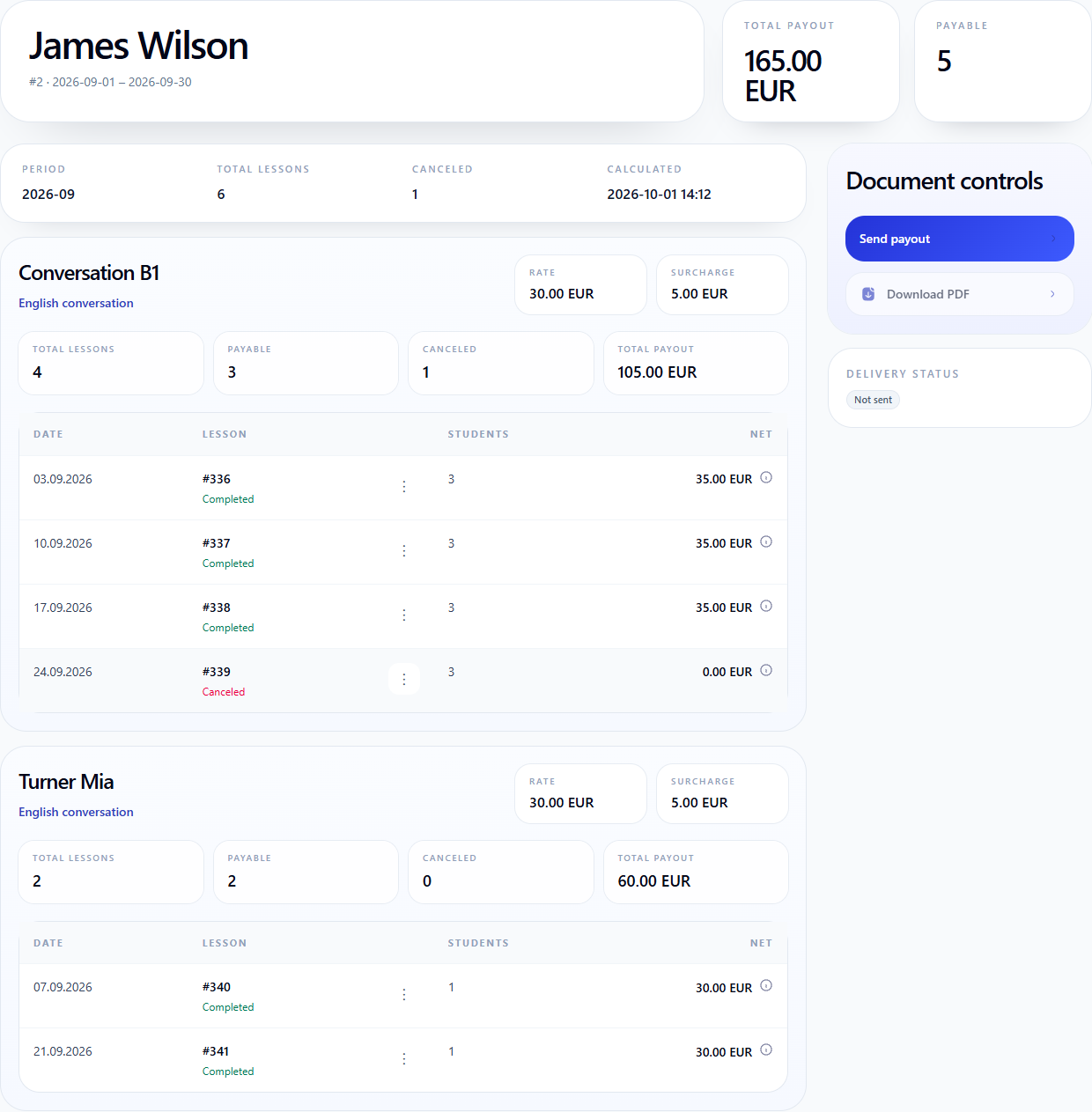
Review completed lessons, rates, payable rows, cancellations, and payout totals from the same lesson history.
Operational scope
Keep daily operations connected so staff can trace student charges and tutor payouts back to lesson records.
Explore the tutoring workflow
See how to plan lessons, give tutors access to their own work, explain student invoices, and let students review their records.
Plan recurring group and individual lessons for tutors and students.
Connect attendance-based invoices, payments, student balances, and tutor payouts.
Let tutors record attendance and review personal payout details within strict boundaries.
Give invited students access to lessons, sent invoices, payments, and balances.
Tutoring business management software connects operational work such as tutor scheduling, student attendance, invoicing, payments, balances, tutor payouts, reporting, and controlled user access.
Yes. Billing software focuses on invoices, payments, and balances. Tutoring management software also connects the schedules, lesson attendance, tutors, students, and operational records that explain those billing results.
Yes. A tutor can receive restricted access to assigned lessons, record student attendance, and review personal payout details without seeing school-wide finance.
Invited students can use the Student Portal to review their own lessons, attendance, invoices sent by the school, recorded payments, allocations, and current balance.
No. It manages the operational records behind tutoring schedules, billing, balances, and tutor payouts. Statutory accounting, taxes, and external financial reporting can remain in accounting software.
Use demo data to check scheduling, attendance, student billing, payments, tutor payouts, and restricted access in one realistic workflow.