
Class Attendance Sheet Template for Excel
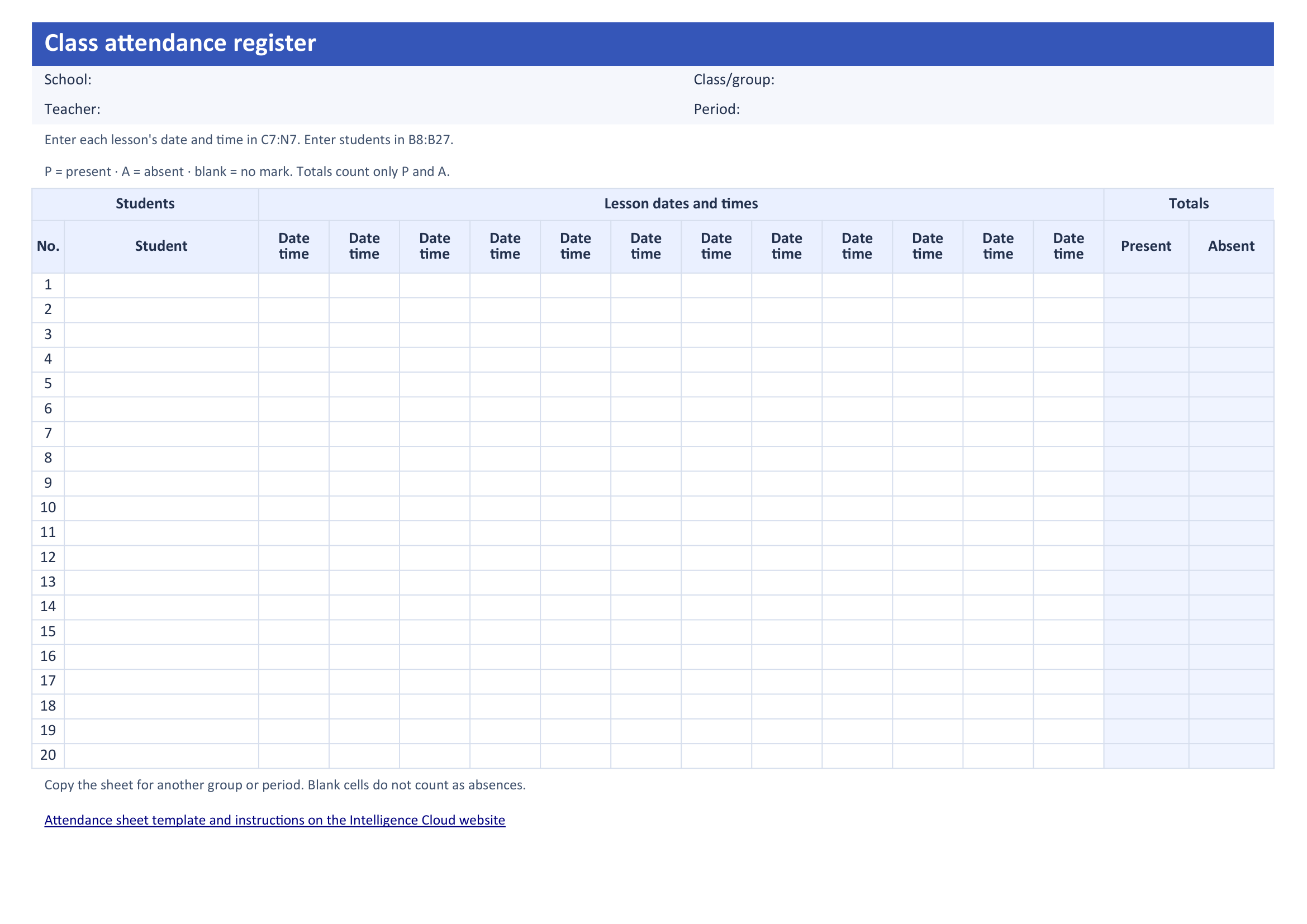
A ready-to-use spreadsheet for tracking attendance and absences. Add students and lesson dates, then mark attendance. The sheet totals each student's attended and missed lessons.
Free download, with no registration. For 20 students and 12 lessons.

What's included in the class attendance sheet
The school attendance sheet comes with three tabs:
- Register: a blank sheet with lesson dates, student names and attendance totals.
- Example: a fictional class with attended lessons, absences and a student who joined later.
- How to use: the attendance marks and short instructions for filling in and printing the register.
Headers and names stay visible as you scroll, so you can see whose attendance you are marking. The blank register is set to print on one landscape A4 page.
A completed attendance sheet example
P means present; A means absent. In the fictional example, Leah joined the class on September 8. She attended that lesson and missed the lesson on September 10. Her totals are 1 attended lesson and 1 absence.
Her first two cells are blank and do not count as absences. This example is included on a separate tab in the downloadable file.
How to use the attendance register in Excel
- Enter the group and period. Open the Register tab and add the school, teacher, class/group and period.
- Add lessons and students. Enter lesson dates and times across the top and student names on the left. Give each lesson its own column, including two lessons on the same day.
- Mark past lessons. Choose P or A in the student's cell. Leave future and canceled lessons blank.
- Check the totals on the right. The formulas count only P and A. Formula cells are protected against accidental changes, while input fields remain editable.
Copy the blank Register tab to keep a separate attendance log for another group or period.
How attendance connects to student invoices
After a missed lesson, a parent asks which lessons are included in the bill. An absence mark records a missed lesson. The school's rules determine whether it should be charged.
Intelligence Cloud creates student invoices automatically when the school publishes its schedule. The invoice updates when staff save the school's choice about charging for a missed lesson.
For example, Noah missed his lesson on September 24. The school chose not to charge him for it. The lesson remains visible on his invoice with a charge of 0 EUR.
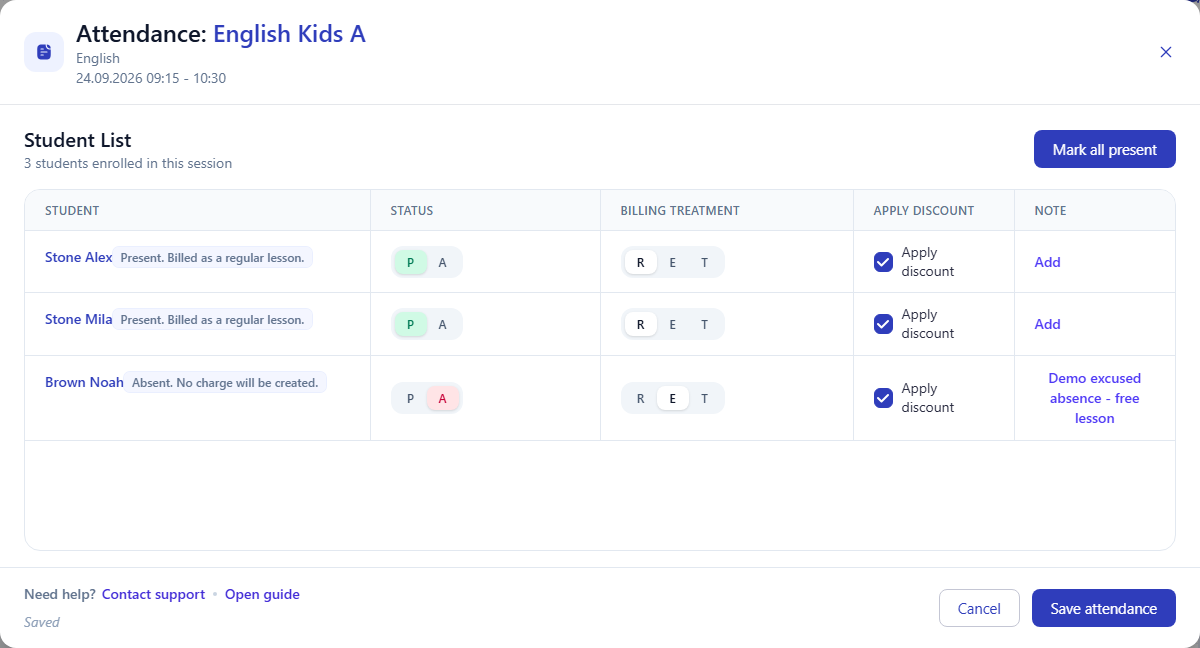

See the full example in student attendance tracking software.
Attendance sheet template questions
Is the attendance sheet free to download?
Yes. The XLSX file is free, with no sign-up or email address required. Open it in a spreadsheet editor that supports XLSX.
What if I have more than 20 students or 12 lessons?
Use additional sheets with separate totals. For example, continue the period after lesson 12 on a copy of the blank sheet, or split the student list between two sheets. Each sheet totals only its own marks.
How do I print the school attendance sheet?
Open the Register tab and choose Print. It is set to use landscape A4 paper and fit the register on one page. Check print preview in your spreadsheet editor before printing.
Related resources
How teachers mark student attendance and check payouts
How teachers open their assigned lessons and record student attendance on a phone.
Student Billing Software for Training Centers
How lessons become charges and what appears on a student's invoice.
Evaluate training center software with demo data
Where to start exploring the sample school in the Intelligence Cloud demo.
See attendance and student invoices together
The Intelligence Cloud demo includes sample lessons, attendance records and invoices. See how a school's decisions about missed lessons are reflected in student charges. Open the demo without registering, or create a separate account for your own school.
Compare plans and pricing