
Attendance tracking and billing for training centers
Learn when training centers, language schools, and tutoring centers need attendance records connected to scheduling, billing, invoices, payments, teacher payouts, and reports.
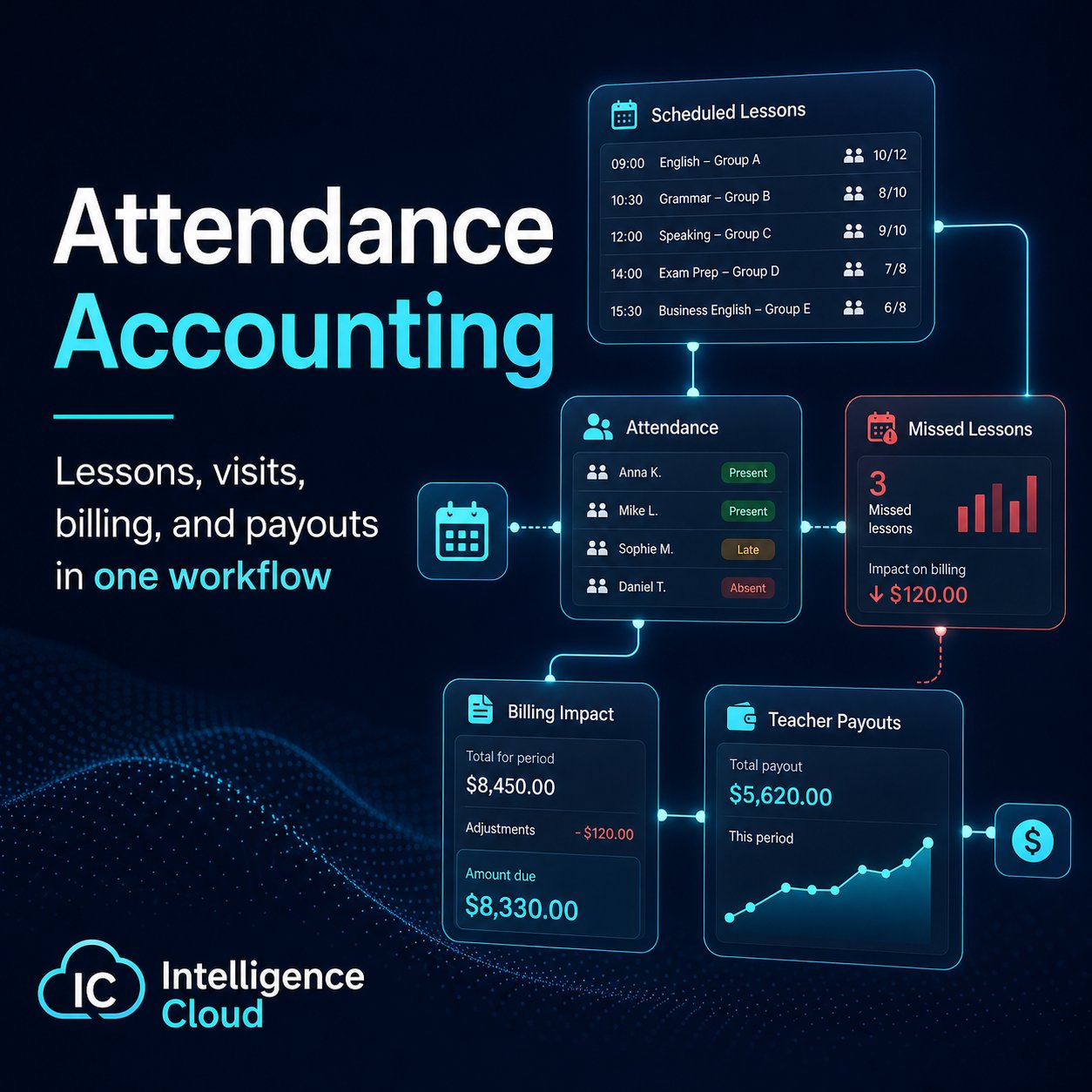
Not every educational business needs detailed attendance accounting in the same way.
For some organizations, attendance is a secondary metric. For example, in a fitness club or swimming pool, the main business process may be selling memberships. A client buys access for a period, and the exact number of visits may not directly affect billing.
But for many training centers, attendance is much more important. It can influence billing, lesson transfers, teacher payouts, reports, and the overall understanding of how the school operates.
Attendance accounting becomes especially important for:
- child development centers;
- language schools;
- dance schools;
- training centers;
- exam preparation courses;
- tutoring centers;
- schools with group and individual lessons.
In these cases, attendance is not just a list of students who came to class. It is part of the operational workflow.
A lesson is scheduled. A student attends, misses, or transfers it. That attendance status may affect the student's invoice, future lessons, payment control, and teacher payout calculation.
This is why training centers often need dedicated attendance tracking and billing software instead of a simple manual list.
Why attendance matters
Attendance data helps a training center answer practical questions:
- how many students were expected to attend lessons during a period;
- how many students actually attended;
- which students miss lessons frequently;
- which groups or courses have attendance problems;
- how attendance affects student invoices;
- how many lessons should be included in teacher payout calculations;
- whether a missed lesson should be billed, excused, or transferred.
When this information is recorded consistently, administrators can better understand what is happening inside the school.
Attendance becomes a management signal, not just an administrative record.
How attendance records affect billing
An attendance record should explain more than whether the student was present. It should also keep the lesson context and billing treatment visible before invoices are generated.
For example:
- a present lesson can remain billable;
- an excused absence can become a free lesson line;
- a chargeable absence can still affect the invoice;
- a transferred lesson can be handled separately when the workflow supports it.
This is why attendance and billing should not be reconciled only at month-end. The sooner the attendance record is confirmed, the easier it is to explain invoice lines, student balances, reports, and teacher payout calculations.
Attendance tracking and billing for education businesses
Attendance tracking and billing means something different in a training center than it does in employee time-tracking software.
For a lesson-based education business, the attendance record belongs to a scheduled class or individual lesson. It should show the student, teacher, group, lesson time, attendance status, and billing treatment together.
That context helps administrators answer practical billing questions:
- should this attended lesson become a normal invoice line;
- should this absence be charged, excused, or transferred;
- should the lesson remain visible with a zero fee;
- should the invoice balance change after the attendance record is corrected;
- should the same lesson also affect teacher payout calculations.
The goal is not only to record attendance. The goal is to keep class payments, student invoices, balances, and lesson history connected.
Attendance accounting software or spreadsheets?
It is possible to track attendance in spreadsheets. For small schools and simple workflows, this may work for some time.
But spreadsheets become harder to maintain when the number of students, groups, teachers, lesson types, and exceptions grows.
A spreadsheet can usually record whether a student was present or absent. The difficulty starts when attendance must be connected with other processes:
- monthly student invoices;
- lesson transfers;
- different pricing rules;
- discounts;
- teacher substitutions;
- teacher payout calculations;
- reports by group, teacher, student, or period.
For example, a training center may need to know:
- how many students should have attended a course during the month;
- how many students actually attended;
- how many lessons were missed;
- which missed lessons should still be billed;
- which lessons should be transferred to a future period;
- how many lessons each teacher actually conducted;
- whether the teacher who conducted the lesson was the originally scheduled teacher.
These questions are possible to answer with spreadsheets, but the process becomes manual, time-consuming, and prone to errors.
How the product helps
Intelligence Cloud helps training centers connect attendance accounting with the rest of daily operations.
Instead of keeping attendance as a separate spreadsheet, attendance can be recorded directly in the context of scheduled lessons, groups, students, and teachers.
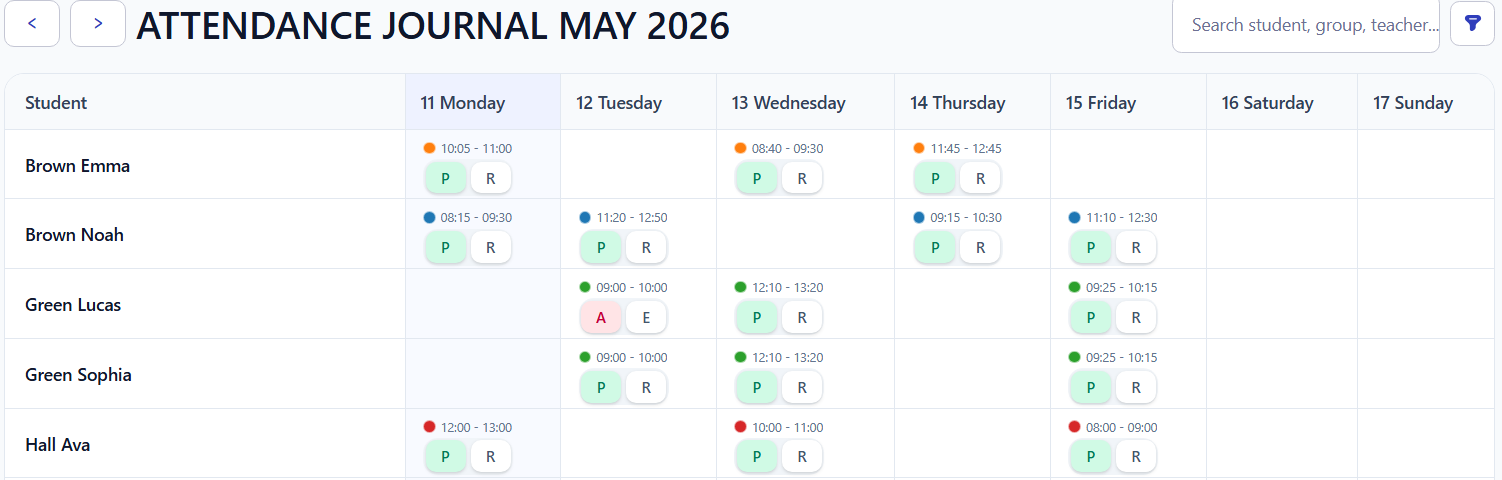
This allows the same data to support:
- attendance journals;
- student invoices and billing checks;
- payment control;
- lesson transfers;
- teacher payout calculations;
- operational reports.
The goal is not only to know who attended a lesson. The goal is to make attendance part of a connected workflow.
When attendance is recorded once and used consistently across the system, administrators spend less time checking separate files and more time managing the school.
Who needs attendance accounting software?
Attendance accounting is especially useful for training centers where:
- lessons are held regularly;
- students attend in groups or individually;
- missed lessons may affect billing;
- lesson transfers are allowed;
- teachers are paid based on conducted lessons;
- administrators need monthly reports;
- student activity and retention matter.
For these schools, attendance tracking is directly connected to financial and operational control.
A dedicated system helps reduce manual work, improve billing accuracy, and make daily school operations more transparent.
Where attendance data goes next
Attendance becomes more useful when it is connected to the rest of the school workflow:
- Scheduling creates the lesson records where attendance is captured.
- Attendance control explains how lesson outcomes affect billing decisions.
- Student invoices use lesson and attendance data to calculate charges.
- Teacher payouts can use completed lesson history to explain payout amounts.
- Reports reuse the same operational data for revenue, attendance, and payout analysis.
For a product-level overview, see the attendance control feature page.
FAQ
What is attendance tracking and billing software?
For training centers, attendance tracking and billing software records lesson attendance and keeps it connected to invoice logic, student balances, reports, and teacher payout calculations.
How can attendance records affect invoices?
Attendance records can explain whether a lesson should be billed, excused, transferred, canceled, or shown as a free lesson line. This helps administrators explain student invoices from lesson history.
Is attendance-based billing the same as employee time tracking?
No. Employee time tracking usually records staff hours for payroll or client billing. Attendance-based billing for education focuses on lessons, students, groups, absences, invoices, balances, and school reports.
Can a school track class payments and attendance in one workflow?
Yes. In a connected workflow, attendance explains which lessons affect invoices, payments reduce the student balance, and reports reuse the same lesson and billing history.
Conclusion
Attendance accounting is not necessary in the same form for every business.
But for training centers where lessons, invoices, payments, and teacher payouts are connected, attendance becomes one of the key operational data points.
Using dedicated software helps keep this data structured, reliable, and connected with the rest of the school workflow.
Intelligence Cloud is designed to help training centers manage this flow: from schedule and attendance to student invoices, payments, teacher payouts, and reports.
Related resources
How student payments are matched with invoices and balances
Learn how student payments are matched with invoices, previous debt, partial payments, overpayments, credit, and student balances in training center billing.
Calculate teacher payouts from lesson records
Check teacher rates, cancellations and extra-student pay, then compare lesson rows with the statement total before paying the teacher.
Student fee and payment tracking for training centers
Practical guide to tracking student fees, payments, invoices, unpaid balances, previous debt, overpayments, and credit in training centers, language schools, and tutoring businesses.
Student Billing Software for Training Centers
Learn how training centers and language schools can create student invoices, record payments, track unpaid balances, and connect billing with lessons and attendance.
Tutoring Center Billing Software for Attendance-Based Invoices and Payments
Lesson-based billing for tutoring centers with individual and small-group lessons. Calculate student invoices, track recorded payments, and explain every outstanding balance.